Projects / All Projects
Every project. One place to begin.
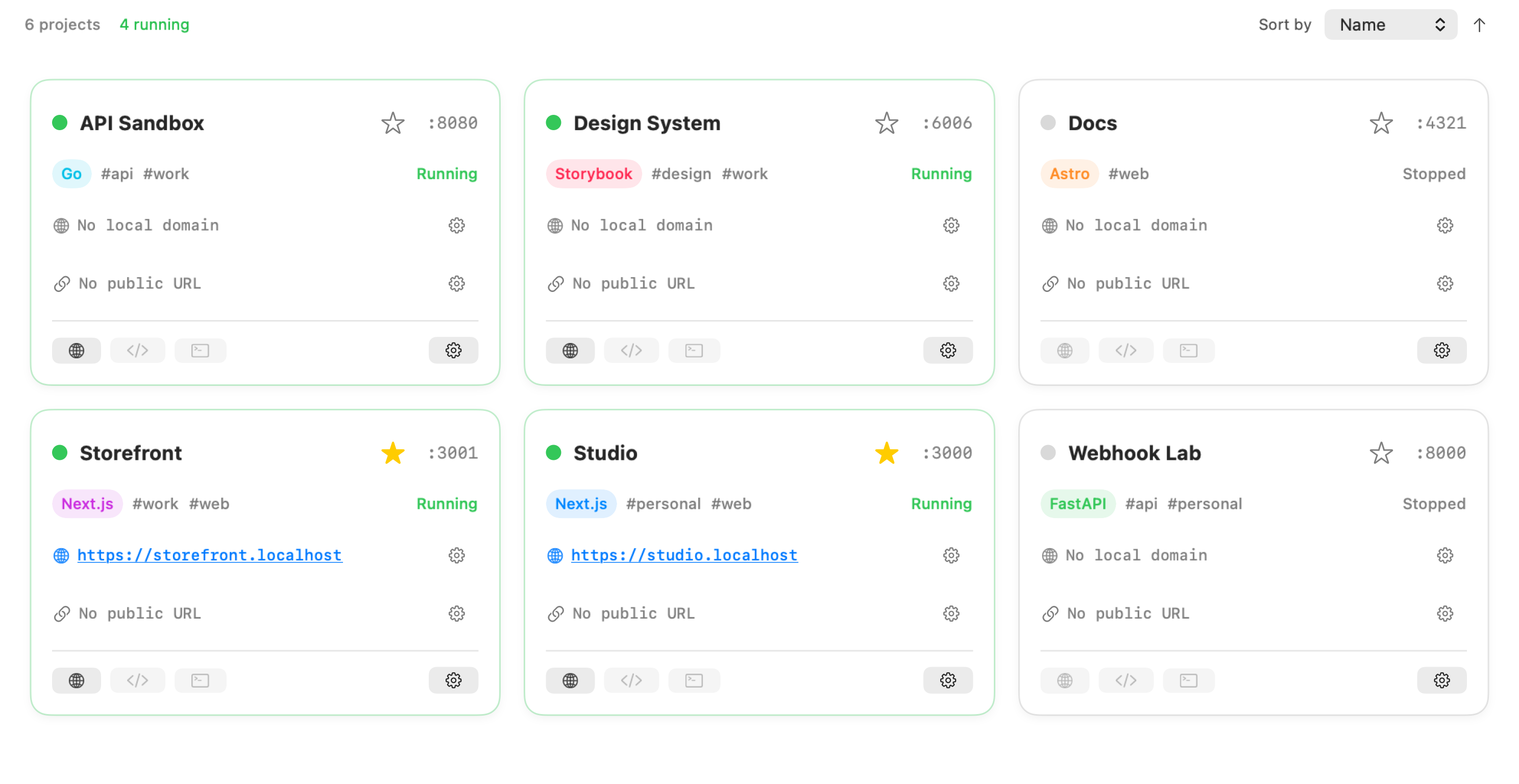
Bring your local projects together in a native workspace. See their ports and status, then open the right folder, editor, or browser without retracing your steps.
Built around your workflow
What you can do
A home for your projects
Save a project’s name, folder, framework, and port. Scan configured directories to discover projects you want to add.
The view that suits your work
Switch between cards and a table, then search to narrow a growing project collection.
Straight back to your tools
Open an available project in your preferred editor, in Terminal, or in a browser. Reveal its folder in Finder when you need the files.
Getting started
From here to your first use.
Add a project
Choose a project folder and confirm its port, or review projects discovered in your configured scan directories.
Start your dev server
Run the project’s normal development command in your terminal. Localhost King observes the local process.
Make the workspace yours
Choose cards or a table, add favorites and tags, and jump into the project’s tools from its actions.