Organization / Tags
Group projects the way you think.
Organize projects by client, stack, team, or side project. Tags give you another way into the same workspace without reorganizing your folders.
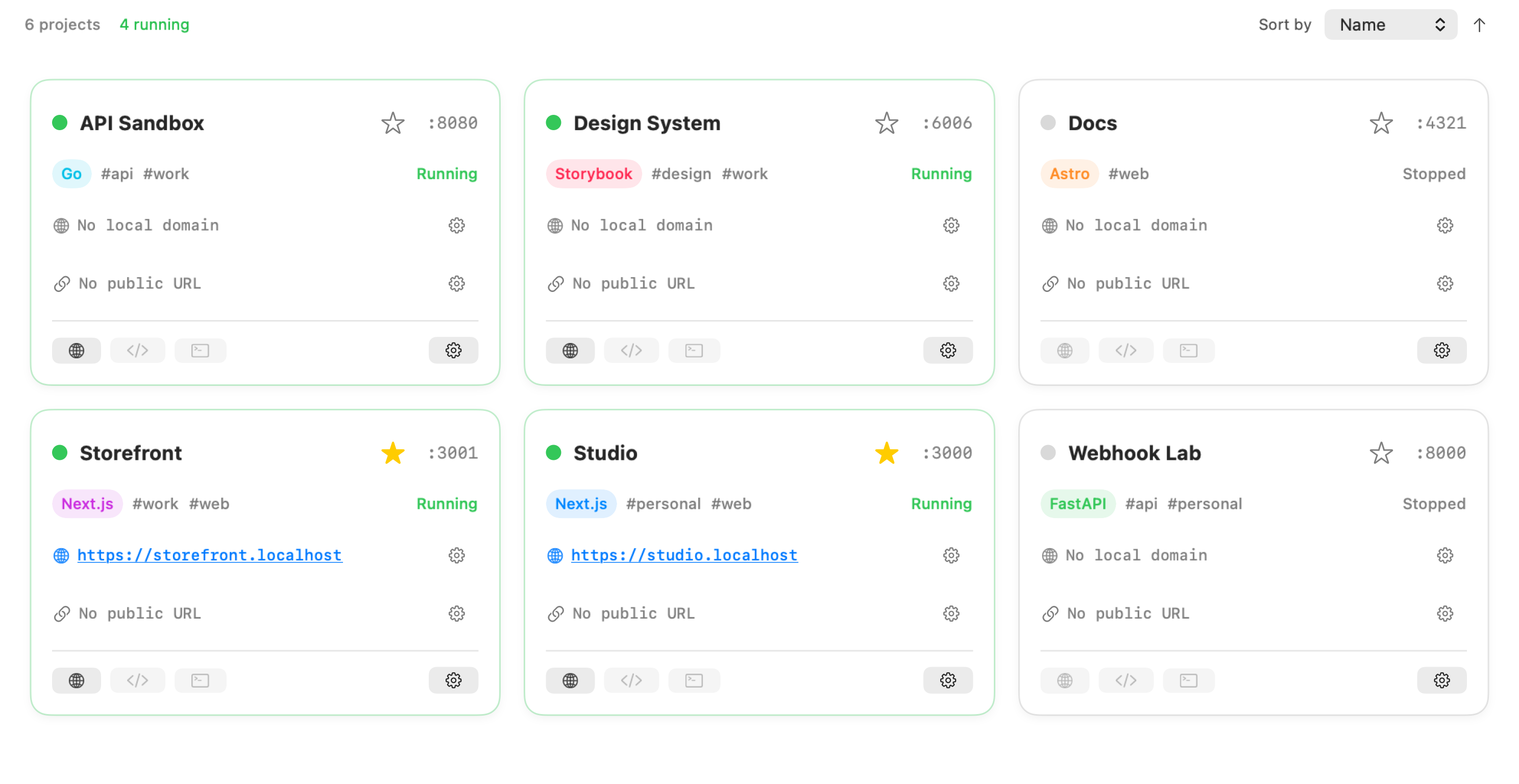
Built around your workflow
What you can do
Flexible groupings
Add more than one tag to a project so it can belong to several useful collections.
A sidebar that grows with you
Tags appears when nonarchived projects have tags. Select a tag to filter the project view.
Less repetitive organizing
Use selected-project actions to add or remove tags across multiple projects.
Getting started
From here to your first use.
Choose a project or selection
Select the projects you want to organize in the project view.
Apply a meaningful tag
Use Add Tag to choose or create a label, such as Client work or Experiments.
Open that collection
Expand Tags in the sidebar and choose a label. Remove tags later without removing projects.